Jump Starter Won't Charge or Turn On? What to Check
If your jump starter won't charge, check the outlet, correct cable, and charging port first. If it still won't respond, use the model's manual to check charge indicators and temperature limits before deciding whether to replace it.
On this page (10 sections)
- What should you check first when a jump starter won't charge?
- How can you tell whether the cable or port is the problem?
- Why won't a jump starter turn on after charging?
- Could temperature stop a jump starter from charging or turning on?
- Which jump starter suits a charging or status concern?
- What should you do if the jump starter still won't charge?
- How can you keep a jump starter ready to use?
- How do you choose a replacement jump starter that won't leave you stranded?
- What are common mistakes when troubleshooting a jump starter?
- What should you do if the jump starter won't charge after these checks?
If a jump starter won't charge, start with its power source and charging connection. A faulty outlet, unsuitable cable, low battery, or out-of-range temperature can look like a failed unit.
Check the jump starter’s own manual for its charging method and indicators. If basic checks don’t restore a response, inspect the ports and case, then decide whether the unit needs service or replacement.
What should you check first when a jump starter won't charge?
Try a working outlet and the correct charging setup for your model. Make sure the outlet is on and the cable is firmly connected at both ends.
If you use a power strip, plug into the wall directly. Check the outlet with another device, and check the charger or adapter with compatible equipment if you can do that safely.
Look for a charge light or screen response. Some units take a moment to display one, so consult the manual before deciding that no response means the battery has failed.
How can you tell whether the cable or port is the problem?
Look for a damaged cable, debris, moisture, or a loose fit at the charging port. Unplug the unit before inspecting it, and don't put metal tools into the port.
Try another cable or adapter only if the manual allows it. A connector that fits may still supply the wrong power, so stick to the specified setup.
Stop if the port is bent, cracked, wet, or unusually warm. Don't force a connector or keep charging a visibly damaged unit.
What if the jump starter screen stays blank?
A blank screen may mean the unit has very little charge, or it may point to a charging or display problem. Connect the recommended charger and wait for the period given in the manual before checking again.
Some models show status only after you press the power button or connect the clamps. Follow the model's steps instead of repeatedly pressing buttons or swapping chargers.
Why won't a jump starter turn on after charging?
Confirm that it has charged, then check the power button and clamp connections. Some models require clamps to be attached correctly or the unit to be switched on before it displays status.
Disconnect the clamps from the vehicle and jump starter, then reconnect them as instructed. Check for dirt, corrosion, loose jaws, or damaged insulation, and keep the clamps from touching each other.
Before connecting it to a car, review how to use a car jump starter step by step. The correct sequence and indicator meanings depend on the model.
Could temperature stop a jump starter from charging or turning on?
Yes, very hot or cold conditions can affect charging and operation. Bring the unit to a dry place within the temperature range in its manual, then let it adjust before trying again.
Don't warm it with a heater, hair dryer, or open flame. Don't charge or use a wet unit unless its instructions say it is safe.
Cold can also leave the vehicle battery too weak to respond. If the jump starter turns on but the car still won't start, see what to try first when a car won't start in cold weather.
Which jump starter suits a charging or status concern?
Choose based on the issue you want to avoid: fast charging, easy-to-read status, or a compact unit for routine emergencies. A jump starter's charging features matter most when you have a reliable way to keep it topped up and understand its indicators.
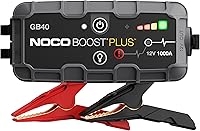
The NOCO Boost GB40 suits drivers who want a compact jump starter for a glove box or emergency kit. Its maker says it recharges in 3 hours and includes a USB-C charging cable; skip it if you need a screen that reports errors.
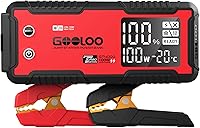
The Gooloo GP4000 is a fit for drivers who want USB charging options and a carrying case alongside jump-starting. Gooloo recommends charging it every 2 to 3 months after extended idle storage, so it is a poor fit if you won't maintain a recharge routine.
The Hulkman Alpha85 suits drivers who want an on-unit screen with charge level, operating status, and possible errors. Hulkman says it reaches 80% in 1 hour with its 65W setup; skip it if you prefer a smaller, lighter unit, since it weighs 4.5 lb.
What should you do if the jump starter still won't charge?
Rule out the outlet, cable, port, low charge, and temperature before replacing the unit. Use only the charging setup and troubleshooting steps specified for your model.
If a correct setup produces no response, the port is damaged, or the case is swollen, leaking, cracked, unusually hot, or smells burnt, stop using it and contact the manufacturer. Don't open the case or try to replace internal cells.
A charged jump starter may still fail to start a car if the clamps are loose or the battery has a separate problem. Read whether a jump starter can start a completely dead battery if charging works but the car still won't start.
How can you keep a jump starter ready to use?
Store it dry, avoid extreme temperatures, and follow its recharge schedule. Check the charge before a trip or season when you expect to need it, and keep the cable and clamps with the unit.
Gooloo recommends charging the GP4000 every 2 to 3 months after extended idle storage. Hulkman recommends recharging the Alpha85 at least every 3 months.
Inspect the cable, clamps, and case whenever you check the charge. If you're unsure how long to leave the unit connected while preparing the vehicle, see how long to leave a jump starter connected.
How do you choose a replacement jump starter that won't leave you stranded?
Match the unit to your vehicle, charging routine, and the information you want at a glance. Check that it supports your vehicle's voltage and engine size, then consider whether a screen, quick recharge, or compact storage matters most.
The NOCO GB40 is the compact choice for glove-box storage and has a stated fit for gas engines up to 6.0L and diesel engines up to 3.0L. The Gooloo GP4000 supports gas and diesel engines up to 10.0L and adds USB charging ports, while the Hulkman Alpha85 supports up to 8.5L gas and 6.0L diesel engines and displays charge and error information.
Don't choose by peak amperage alone. Check the maker's vehicle fit, included charging equipment, storage needs, and the maintenance schedule you can realistically follow.
What are common mistakes when troubleshooting a jump starter?
The most common mistake is changing several parts of the charging setup at once. Test one known working outlet and the recommended cable first so you can identify whether the problem follows the outlet, cable, or unit.
Avoid forcing a plug, using an adapter just because it fits, or charging through a damaged or wet port. Don't try to jump-start a vehicle while the unit itself has too little charge or shows an error you haven't checked in the manual.
If the display works but the engine doesn't crank, confirm the clamps are firmly attached to clean terminals and follow the device's status indicators. The jump starter may be ready while the car battery or another vehicle system still prevents a start.
What should you do if the jump starter won't charge after these checks?
If your jump starter won't charge after you confirm the outlet, cable, port, charge level, and temperature, contact the manufacturer or replace the unit if it is no longer serviceable. Pick a replacement that matches your vehicle and has charging features you will actually maintain.
For quick charging and a compact kit, consider the NOCO GB40. Choose the Alpha85 if a status screen and faster recharge matter more, or the GP4000 if you want USB charging options and can keep up with its storage recharge schedule.
Frequently asked questions
Why won't my jump starter charge?
A jump starter may not charge because the outlet is off, the cable or adapter is faulty, or the charging port is blocked or damaged. Try a known working outlet and the correct cable and adapter for your model.
Check the manual for charging indicators and temperature limits.
How long should a jump starter take to charge?
Charging time depends on the model, its current charge level, and the charger used. Follow the manual and watch for the unit's full-charge indicator.
NOCO says the GB40 recharges in 3 hours, while Hulkman says the Alpha85 reaches 80% in 1 hour with its 65W charging setup.
Can a jump starter be too cold to turn on?
Cold can affect a jump starter's battery and its ability to supply power. Bring the unit indoors and let it reach the temperature range in its manual before charging or using it.
Don't heat it directly or leave it on a heater.
When should I replace a jump starter that won't charge?
Consider replacement if the correct charger and a working outlet don't help, the unit shows no charge response, or its case, port, cable, or clamps are damaged. Stop using a unit that is swollen, unusually hot, leaking, or smells burnt, and contact the maker for guidance.