How to Charge a NOCO Boost GBX75
Charge the NOCO Boost GBX75 through its USB-C port with a 60W USB-C Power Delivery charger. A full charge takes about 1.8 hours, and 5 minutes on the charger gives enough power for a jump start even from a completely depleted battery.
On this page (8 sections)
- What do you need to charge the NOCO Boost GBX75?
- How do you connect and charge the GBX75 step by step?
- How long does charging take, and when is 5 minutes enough?
- Which charger should you use for the GBX75?
- How do you read the charge lights on the GBX75?
- Why is my GBX75 charging slowly?
- How should you store and maintain a charged GBX75?
- What should you know before your first charge?
Charge the NOCO Boost GBX75 through its USB-C port using a 60W USB-C Power Delivery charger. A full charge takes about 1.8 hours, and 5 minutes plugged in gives you enough power for a jump start even when the battery is completely depleted.
That 60W detail matters more than anything else on this page. The GBX75 is built around high-voltage output and fast USB-C input, so the charger you pair with it decides how long the job takes.
Learning how to charge a NOCO Boost GBX75 is mostly about picking the right power source and reading the charge lights.
What do you need to charge the NOCO Boost GBX75?
You need a 60W USB-C Power Delivery charger and a USB-C cable. The jump starter ships with a USB-C charging cable and a microfiber storage bag, so the cable is already in the box.
The 60W figure is the key spec. NOCO rates the GBX75 for a 1.8-hour recharge via 60-watt USB-C Power Delivery, and that speed depends on the charger feeding it.
A standard low-wattage phone charger works but stretches the charge time significantly.
Any USB-C Power Delivery source rated at 60W or more fits the job: a laptop-style wall charger, a high-output car charger, or a power bank with PD output. The cable matters too, since a charge-only cable can hold the port below its rated speed.
Use the included USB-C cable, or another cable rated for 60W.
The port is a single USB-C input on a 12V lithium pack, and the same connection handles both directions. The GBX75 weighs about 5 pounds and measures 7.28 by 4.84 by 9.8 inches, so it stows easily in a trunk or under a seat once it's charged.
How do you connect and charge the GBX75 step by step?
Plug the USB-C cable into the jump starter's USB-C port, connect the other end to your 60W PD charger, and let it fill. The port is dual-direction, so it takes power in and sends power out.
- Check the charge level before you start, so you know whether you need a quick top-up or a full charge.
- Plug the USB-C cable into the GBX75's port.
- Connect the other end to a 60W USB-C Power Delivery charger.
- Watch the charge lights as the pack fills.
- Unplug when the charge is complete and return the unit to its bag.
The port does double duty. The same 60W USB-C connection that charges the GBX75 also lets it act as a power bank for phones, tablets and laptops.
That's handy on a road trip, but it means the pack drains when you use it that way, so top it up before a trip rather than after.
The clamps never need to touch the charger. Charging happens entirely through the USB-C port, while the heavy-duty jumper cable clamps stay in the bag until you're ready to start an engine.
Keep the clamps clear of the port so nothing gets bent while the cable is plugged in.
How long does charging take, and when is 5 minutes enough?
A full charge takes about 1.8 hours on a 60W charger. The 5-minute figure is the useful one when you're stranded: NOCO says the GBX75 can gain enough power for a jump start in just 5 minutes, even from a completely depleted battery.
That short-charge trick is the reason the GBX75 suits a glovebox or trunk. If the pack sat unused for months and drained, you don't need to wait almost 2 hours before you can start the car.
Plug it in for 5 minutes and try the jump.
The 1.8-hour figure assumes a 60W source. With a lower-wattage phone charger, expect a much longer wait.
Plan a full charge overnight or during a longer drive rather than relying on a quick top-up before a cold morning.
A full pack is rated for up to 12 jump starts per charge, thanks to the 60-second timer that limits each start to a short burst. That rating is about how many engines you can start, not how long the pack lasts sitting idle.
Which charger should you use for the GBX75?
Use a 60W USB-C Power Delivery charger, because that's the input the GBX75 is rated for. The right charger gets you the 1.8-hour full charge and the 5-minute emergency top-up.
A 60W laptop charger is the simplest option if you already own one. A dedicated 60W USB-C car charger keeps the pack topped up while you drive.
Avoid the small 5W to 18W phone bricks for anything but an overnight trickle, since NOCO says those give significantly longer charge times.
Charger options for the GBX75
The box includes a USB-C charging cable, so the missing piece is the power source. A 60W USB-C PD wall charger covers home and office topping up.
A 60W USB-C car charger covers the road. A PD power bank covers camping and tailgates.
Whichever you pick, check that it advertises Power Delivery at 60W. A cable rated for 60W or more should pair with it.
Lower-wattage bricks still work for a slow overnight charge, but they won't hit the 1.8-hour mark.
For a 12V battery in the car that needs more than a jump, a smart charger is a separate tool. The GENIUS5 is a 5A charger and maintainer for 6V and 12V lead-acid and lithium batteries, and it charges from as low as 1 volt.
The GENIUS1 is the smaller sibling at 1A. It's a maintainer more than a fast charger, so it suits a battery you want to keep topped up over time.
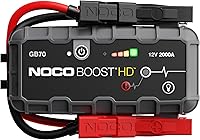
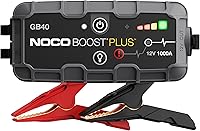
If you're still deciding between the GBX75 and an older Boost model, our NOCO GB70 vs GBX75 comparison breaks down the differences. The bigger NOCO GBX155 is the next step up if you need more capacity.
How do you read the charge lights on the GBX75?
The charge lights show how full the pack is as it fills. When the charge is complete, the lights stop moving and hold steady.
Read the level before a trip, not after. A pack that reads low still has the 5-minute emergency option, but it won't deliver its full 12 jumps per charge.
NOCO rates the GBX75 for up to 12 jump starts on a full charge.
The 60-second timer also matters here. The high-voltage design means the unit only holds its output for a short burst per start, which conserves power.
That's why a full pack can manage multiple starts without a recharge.
Treat the steady lights as your signal to unplug. Leaving a full pack on the charger indefinitely isn't how the GBX75 is meant to be used, and topping up every few months keeps it ready without babysitting the cable.
Why is my GBX75 charging slowly?
Your charger is the usual cause. The GBX75 wants 60W USB-C Power Delivery, and a lower-wattage phone charger delivers a fraction of that.
Swap in a 60W PD charger and a cable rated for the same, then compare the charge time. If the lights still crawl, try a different outlet or a different USB-C cable.
A cable that only handles low wattage is an easy thing to overlook when the charger itself is fine.
If the pack won't charge at all, work through the checks in our guide to what happens when a jump starter won't charge. That guide covers the basic steps for packs that sit dead or stop responding.
For a different brand, our walkthrough on how do you charge a Gooloo jump starter shows how the steps differ.
How should you store and maintain a charged GBX75?
Charge it to full, unplug it, and store it in its bag. Then top it up every few months so it's ready when you need it.
Keep the pack out of direct sun and away from extreme heat. A lithium pack left in a hot trunk for months loses charge faster and can be slower to recover.
The microfiber bag that comes in the box keeps the clamps and cable tidy.
Check the charge level before a long trip or the first cold snap of the season. A pack that's been sitting will often need a top-up, and 5 minutes on the charger is enough to make it usable for a jump.
The GBX75 also runs the 400-lumen LED in seven modes, so if you've used the light or the power bank feature since the last charge, top it up before relying on it.
What should you know before your first charge?
Use a 60W USB-C Power Delivery charger, plug into the USB-C port, and expect about 1.8 hours for a full charge. The 5-minute top-up is the feature to remember for an emergency.
The GBX75 is rated at 2,500 amps for gas engines up to 8.5L and diesel up to 6.5L. If the vehicle's battery is below 3V, the safety sensors may not detect it, and the manual override button held for 3 seconds forces the jump.
Neither of those details changes the charging steps, but both are worth knowing before the first start.
That's how to charge a NOCO Boost GBX75 in practice: right charger, right port, and a quick top-up when you're stuck. If you want to compare it against the older Boost line first, read our GB70 vs GBX75 breakdown before you buy.
Frequently asked questions
How long does it take to charge a NOCO Boost GBX75?
A full recharge takes about 1.8 hours when you use a 60W USB-C Power Delivery charger. Lower-wattage chargers take significantly longer.
If you only need one jump, 5 minutes on the charger is enough to build a usable charge from empty.
Can I charge the GBX75 with a regular phone charger?
Yes, but slowly. NOCO says standard low-wattage phone chargers result in significantly longer charge times.
Use a 60W USB-C Power Delivery source when you want the full 1.8-hour recharge.
How do I know when the GBX75 is fully charged?
Watch the charge indicator lights on the unit as it fills. When the charge is complete, the lights stop moving and hold steady.
Unplug the cable and store the jump starter in its bag until you need it.
Can I leave the GBX75 plugged in all the time?
Don't leave it on the charger indefinitely. Charge it to full, unplug it, and top it up every few months so it's ready when you need a jump.
A long-unused lithium pack can drift low between uses.
What do I do if the GBX75 won't charge?
Try a different 60W USB-C Power Delivery charger and cable first. If the lights still don't respond, work through the checks in our guide to what to do when a jump starter won't charge or turn on.